
Home / Insights / Why Most Copilot Rollouts Fail
AI & Copilot
Why Most Copilot Rollouts Fail
The permissions and governance work that determines whether Copilot actually saves time.

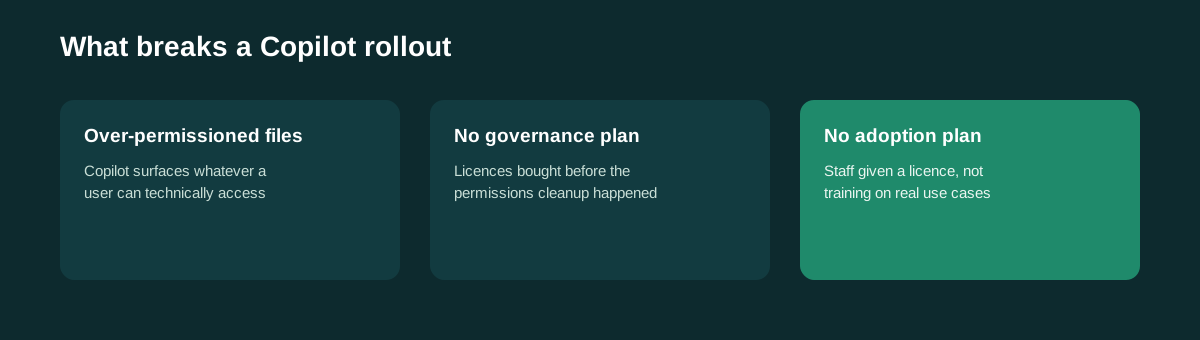
Microsoft Copilot is a meaningful monthly cost per user, and a lot of businesses roll it out, wait for the productivity gains, and end up disappointed. The tool usually is not the problem, the environment underneath it is.
Copilot surfaces what is already broken
Copilot works by drawing on the Microsoft 365 data a user already has permission to see. That sounds simple, but in most real businesses, SharePoint and OneDrive permissions have accumulated years of sprawl, old project folders shared too broadly, temporary access nobody removed, sensitive documents sitting somewhere they technically should not be visible.
Copilot does not create that problem. It just makes it visible, instantly, by summarising or surfacing content that was quietly over-shared for years.
The other common failure: no training, no use case
Handing someone a Copilot licence without a specific use case is like handing someone a spreadsheet with no idea what to calculate. The businesses that get real value start with two or three concrete, department-specific use cases rather than a vague use AI more mandate.
What a proper rollout actually involves
- A permissions and data classification review before anyone gets a licence
- DLP policies adjusted specifically for AI access, not just general sharing
- A phased rollout starting with the clearest, highest-value use cases
- Short, practical training, not a generic here is what AI can do session