
Home / Insights / Microsoft’s Entra Connect Sync Deadline Was Yesterday
Microsoft 365 / Identity & Security
Microsoft’s Entra Connect Sync Deadline Was Yesterday — Here’s What to Check
If your business still syncs an on-premises Active Directory to Microsoft 365, 30 September was a hard cutoff — and the failure mode is the kind nobody notices until it’s too late.

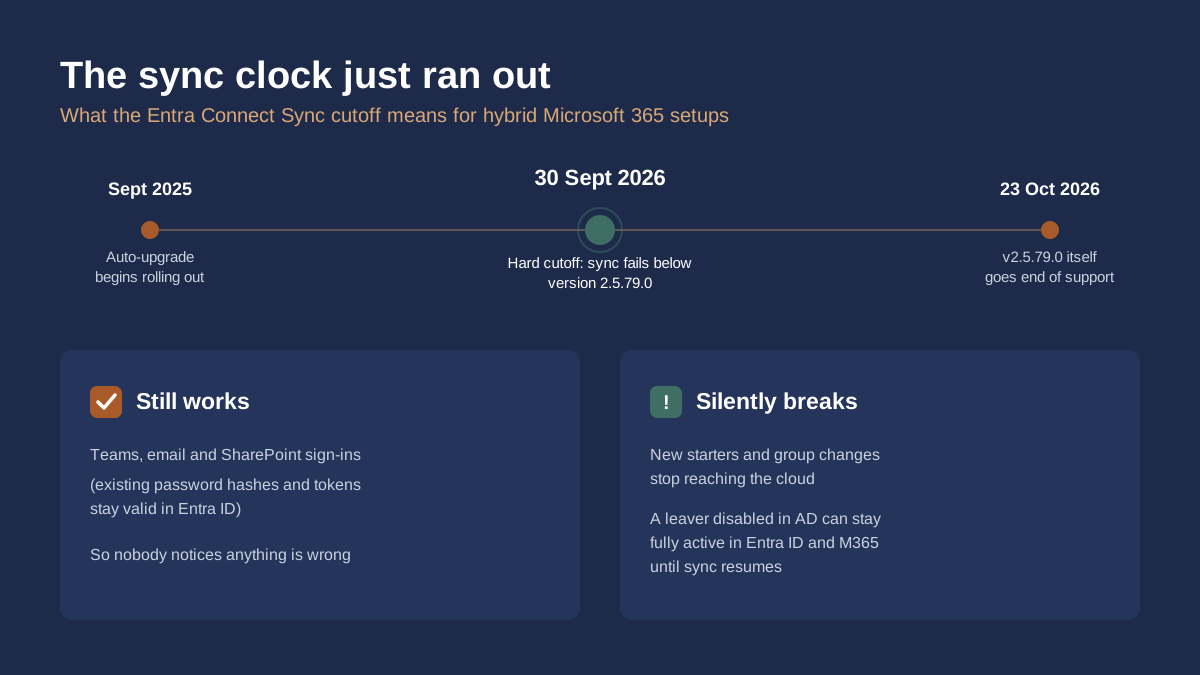
Microsoft enforced a long-flagged change to Microsoft Entra Connect Sync on 30 September 2026. Any sync server still running a version below 2.5.79.0 stopped synchronising with Microsoft Entra ID entirely. Microsoft’s own documentation is blunt about it: “all synchronization services will fail” for any customer who missed the deadline, and the outage lasts until the server is upgraded. This isn’t a future warning any more. It already happened yesterday, and some affected businesses may not know it yet.
Who this actually affects
This only matters if your business runs a hybrid identity setup: an on-premises Active Directory that syncs user accounts, group memberships and password changes up to Microsoft 365 via Entra Connect (the successor to Azure AD Connect). Plenty of Irish SMEs are in exactly this position, usually because they started with a Windows Server domain years before moving email and files to the cloud, and the sync server has quietly run in the background ever since, untouched since whoever originally set it up moved on. If your business went straight to Microsoft 365 cloud-only with no on-premises Active Directory, none of this applies to you.
Why nothing looks broken
The dangerous part is what doesn’t visibly break. Authentication keeps working, because existing password hashes and access tokens stay valid in Entra ID regardless of whether sync is running. Staff can still log into Teams, email and SharePoint as normal, so there’s no obvious signal that anything is wrong. What actually stops is the pipe between Active Directory and the cloud: new starters don’t get provisioned, group membership changes don’t arrive, and password resets made on-premises don’t propagate upward. The scenario that should worry any compliance-conscious business most is offboarding. If someone leaves and you disable their account in Active Directory, that change never reaches Entra ID while sync is down. The account stays fully active in Microsoft 365, with working tokens and live access to SharePoint, Teams and email, for as long as the outage lasts. Nobody gets an error message. It just quietly doesn’t happen.
For a business already thinking about NIS2 or GDPR obligations, that is not a minor IT hiccup, it’s an access control failure. Both frameworks expect you to be able to show that former employees and contractors lose access promptly. A sync outage that silently keeps a leaver’s account live for days or weeks is exactly the kind of gap an auditor, or a disgruntled former employee, would find.
What to check this week
- Check your Entra Connect Sync server’s version, in the Synchronization Service Manager or under Help > About.
- If it’s below 2.5.79.0, upgrade immediately, and go straight to the current release (2.6.92.0 at time of writing) rather than stopping at the bare minimum, since 2.5.79.0 itself loses support on 23 October 2026.
- Confirm the server has .NET Framework 4.7.2 and TLS 1.2, both prerequisites for the upgrade to install cleanly.
- If auto-upgrade is enabled, don’t assume it worked. Check the actual installed version. Auto-upgrade only applies to servers already on 2.3.20.0 or higher, so older installs aren’t covered automatically.
- If sync has already failed, disable leaver accounts directly in Microsoft Entra ID as well as in Active Directory, and revoke their active sessions in the cloud, rather than waiting for sync to resume and catch up on its own.
Worth considering: moving off on-premises sync entirely
Microsoft’s own long-term recommendation is to migrate from Entra Connect Sync to Entra Cloud Sync, a lighter, cloud-managed agent that doesn’t need a dedicated on-premises server to patch and monitor. It won’t fit every hybrid environment, there are still gaps for certain Exchange hybrid and complex attribute-flow scenarios, but for straightforward user and group sync it removes an entire category of “a server nobody touches until it breaks” risk. Worth a conversation with whoever manages your infrastructure, even once the immediate deadline is handled.
Most businesses running hybrid identity haven’t touched their Entra Connect server in years, simply because it has always worked. That’s exactly the kind of infrastructure worth a second look before it becomes the reason an audit, or an offboarding, goes wrong. If you manage Microsoft 365 and Entra ID in-house, this is a good prompt to check the version today. If you’d rather someone else kept an eye on it, that’s part of what our Microsoft 365 & Intune management covers, alongside the access reviews that back up NIS2 and GDPR compliance.