
Home / Insights / Three Ways AI Leaks Your Business Data
Microsoft 365 / AI Readiness
Three Ways AI Leaks Your Business Data (and What to Check This Week)
Most Irish businesses are not being hacked through AI. They are leaking data through it, quietly, in three predictable ways. Here is what each looks like, and a quick check for each.
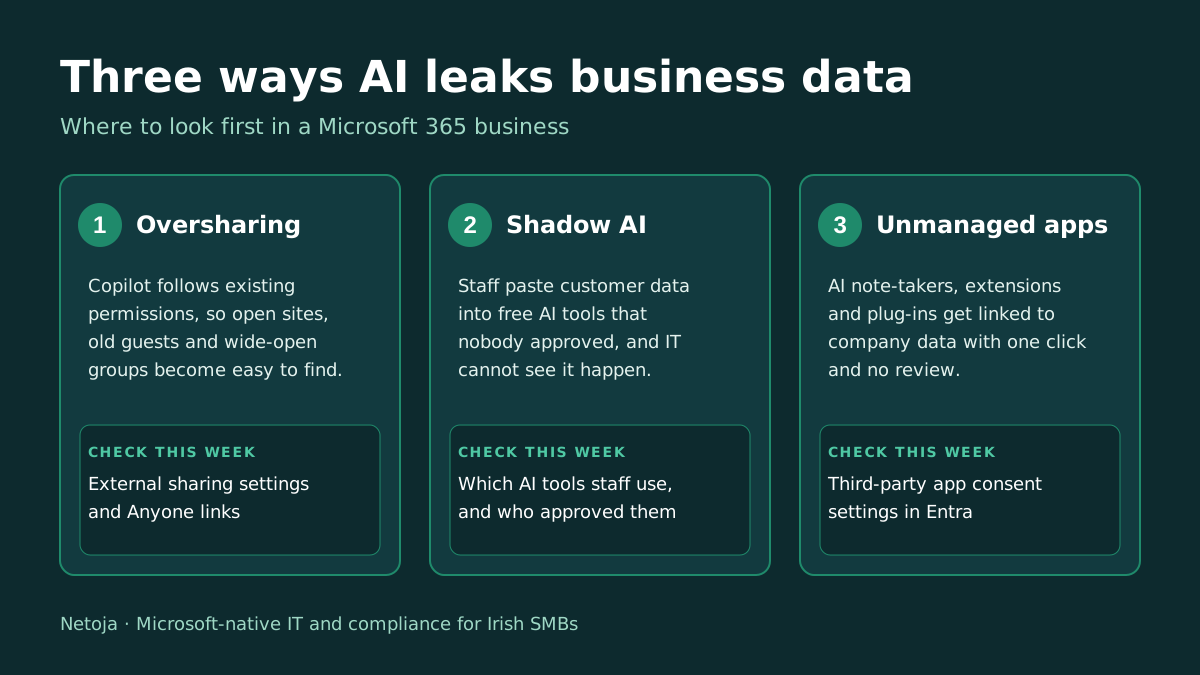
Microsoft 365 Copilot and free chatbots are genuinely useful, and some of your staff are almost certainly using at least one already. The risk is not the AI itself. It is what the AI can reach, and what people paste into it. Three routes account for most of the real-world problems, and each one has a check you can do this week.
1. Oversharing, made searchable
Copilot does not break your permissions. It uses them. If a SharePoint site, Teams channel or OneDrive folder is open to everyone, or still shared with a guest who left long ago, Copilot can surface it the moment someone asks a plain-English question. Years of loose sharing that nobody noticed become easy to find. A Gartner survey of 132 IT leaders from June 2025, as reported by Compare the Cloud, found that 40% had delayed a Copilot rollout by three months or more because of oversharing concerns.
Check this week: the external sharing settings in the SharePoint admin centre, any “Anyone” links that never expire, and what an ordinary staff account finds when it searches for words like salary, disciplinary or contract. We go deeper on the wider rollout problem in Why Most Copilot Rollouts Fail.
2. Shadow AI
Shadow AI means staff using AI tools the business never approved. WatchGuard’s July 2026 survey of 684 employees at firms of 50 to 500 staff found that 64% admit using unauthorised AI tools for work. The survey covered eight countries, not including Ireland, but there is little reason to think Irish staff behave differently. The IBM Cost of a Data Breach Report 2026, as summarised by StationX, put shadow AI incidents at 43% of breached organisations, up from 20% a year earlier.
Check this week: ask staff which AI tools they use (a five-minute anonymous form is enough), then decide which are allowed and for what. A blanket ban rarely works on its own, so give people an approved option as well.
3. Unmanaged connections
AI note-takers in meetings, browser extensions, plug-ins and agents can be connected to company data with a single click, and each one is another way out. The same StationX analysis of IBM’s findings says 92% of organisations that suffered an AI-related breach had no proper AI access controls in place. In Microsoft 365 you can see and limit this in Entra.
Check this week: which third-party apps have been granted access to your tenant, and whether users can approve new ones on their own.
What it means under GDPR and the AI Act
If staff paste customer personal data into a tool you have no agreement with, the business is still the data controller. Where a breach is likely to put people’s rights at risk, the clock for notifying the Data Protection Commission is 72 hours from when you become aware of it. On the AI Act, a recent Think Business guide notes that the EU’s Digital Omnibus pushed standalone high-risk obligations out to December 2027, and reads the overall position as awareness and housekeeping for most Irish SMEs rather than heavy technical work. This is general information, not legal advice.
Five checks for an afternoon
- Run the SharePoint external sharing report and remove expired guests and old links.
- Search as an ordinary user for sensitive words and note what appears.
- Survey staff on the AI tools they really use.
- Write a one-page AI acceptable-use rule and an approved-tools list.
- Review third-party app consent settings in Entra.
If you manage your own tenant, that is an afternoon’s work. If you would rather have someone do it and keep it under review, it fits within our Microsoft 365 & Intune management and our GDPR and NIS2 compliance work.
Figures current as of 15 October 2026. Statistics are as published by the survey and vendor sources linked above; we have not independently verified them.